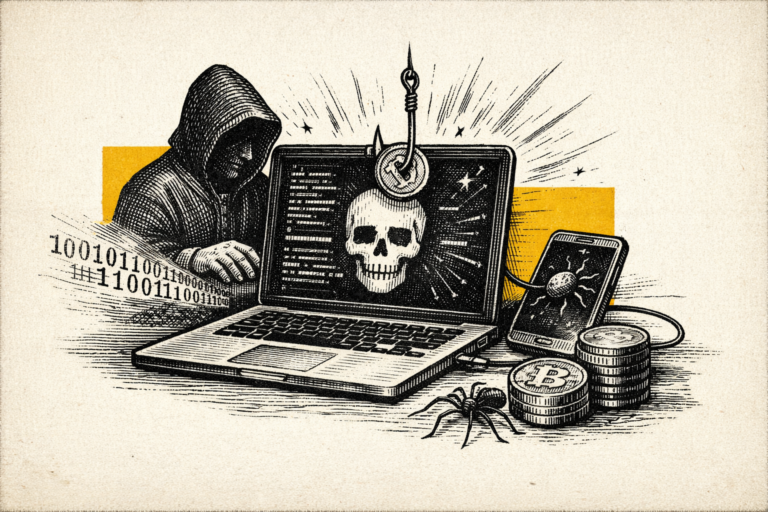
The security of your SaaS solution could be the difference between your company’s survival and a total shutdown. Entrepreneurs and small business owners often believe that cyberattacks are a problem only for large corporations. They’re not. According to the Verizon Data Breach Investigations Report 2024, small businesses account for more than 46% of all data breaches reported globally. Size is no protection. It is the lack of basic controls that creates vulnerability.
The good news: Securing a small SaaS company doesn't require a cybersecurity team or a large budget. It requires discipline in nine areas that any entrepreneur can implement this week.
Why Your SaaS Security Is More Critical Than It Seems
You don't have to be a target to be a victim. Most attacks on small businesses aren't targeted: they're automated scans that find open doors and exploit weak credentials. The criminal doesn't know who you are. He just knows that your system responded.
For a SaaS company, the impact of a successful attack goes beyond technical issues. Compromised customer data triggers immediate legal obligations under the LGPD, including the possibility of mandatory reporting to the ANPD and fines of up to 2% of revenue. A 24-hour outage can result in the loss of contracts with customers who depend on the service. And restoring a company’s reputation is often more expensive than any preventive investment.
O IBM Cost of a Data Breach Report 2024 It points out that the global average cost of a data breach reached USD 4.88 million. For a small business, even a fraction of that amount can be devastating.
1. The Hidden Risk of Unreviewed AI-Generated Code
Tools like GitHub Copilot, ChatGPT, and similar ones have greatly accelerated software development. For small teams, they offer a real productivity boost. But there’s a pitfall that most entrepreneurs overlook: AI-generated code can contain vulnerabilities that go unnoticed during quick reviews, especially when the team lacks an established security culture.
The problem isn’t AI itself. It’s the tendency to accept generated code without critical review. Language models have no context regarding your company’s production environment, the data flowing through the application, or the regulations you need to comply with. A piece of code that appears to work may open the door to an SQL injection, expose a route without authentication, or store sensitive data without encryption—all without triggering any alerts. According to a survey by the Stanford Human-Computer Interaction Group, developers who use AI assistants tend to produce code with more security vulnerabilities than those who do not, mainly because they place excessive trust in the suggestions generated.
A practical step: treat all AI-generated code as third-party code. Review it with the same rigor you would apply to an external library. Validate authentication, input sanitization, and the handling of sensitive data before merging it into production.
2. Multi-factor authentication for everything that matters
If you don't yet have multi-factor authentication enabled in your admin panel, code repository, and team email accounts, this is the place to start. MFA eliminates most attacks involving stolen credentials: even if someone has your password, they can't log in without the second factor.
Free tools like Google Authenticator or Authy solve the problem in minutes. There’s no cost-related reason not to have MFA enabled.
3. Access Management Based on the Principle of Least Privilege
Each team member should have access only to what they need to do their job. The front-end developer does not need access to the production database. The support analyst does not need permission to change payment settings.
Review the permissions for all users of your SaaS at least once a quarter. Deactivate former employees' accounts immediately after they leave the company. This process costs nothing and eliminates one of the most common attack vectors.
4. Strong, unique passwords using a password manager
Reusing passwords is like using the same key for your office, your server, and your bank account. A password manager like Bitwarden, which offers a robust free plan for small teams, solves this problem. Each service gets a unique, complex password that is automatically stored and filled in.
The cost for a small team: less than R$ 30 per month for the paid plan, or free for the free plan for individual use.
5. Automatic backups outside the main environment
If your SaaS system suffers a ransomware attack, the only way to avoid paying the ransom is to have a clean, recent backup stored outside the compromised environment. This means a separate cloud backup with a provider other than the one hosting the application, with the backup tested regularly.
Services like Amazon S3, Google Cloud Storage, or Backblaze B2 cost just a few cents per gigabyte. Setting up a daily automatic backup with 30 days of retention takes an afternoon’s worth of work and costs just a few reais a month.
6. Dependency Updates and Security Patches
Most successful attacks on SaaS exploit known vulnerabilities in libraries and frameworks for which patches are already available. The problem isn't the existence of the vulnerability; it's the delay in applying the patch.
Tools such as Dependabot, which is integrated into GitHub at no additional cost, monitor a project's dependencies and alert you to versions with known vulnerabilities. The NIST National Vulnerability Database It publishes all cataloged CVEs and is available for free. A biweekly update cycle is sufficient in most cases.
7. HTTPS and SSL certificates in all environments
Any data transmitted without encryption is vulnerable to interception. This includes staging and development environments, which are often set up without HTTPS for convenience. Free SSL certificates from Let’s Encrypt eliminate the cost. The only investment is the setup, which takes less than an hour with most modern hosting providers.
8. Monitoring logs and alerts for suspicious behavior
You don't need a SOC to know when something is wrong. Tools like Grafana with Loki or Datadog's free plan let you set up simple alerts: multiple failed login attempts, access outside of business hours, or an unusual volume of requests to specific endpoints.
A warning that alerts you in 5 minutes is worth more than any expensive tool that you only discover after the damage has already been done.
9. A simple and clearly communicated security policy
Security isn't just about technology. It's about behavior. A one-page policy that outlines what the team can and cannot do, how to handle passwords, what to do when receiving a suspicious email, and how to report an incident resolves most social engineering issues at no cost.
Train the team once per semester. Update the policy whenever a new, significant risk arises. This is sufficient for a small team.
What to Do When Your Budget Grows
The nine measures listed above address the most common attack vectors without requiring any significant investment. As the business grows and its attack surface expands, the next natural step is to conduct a structured risk assessment, implement frameworks such as ISO 27001 or NIST CSF, and ensure continuous monitoring with specialized support.
El Canary® works with growing companies that need a structured cybersecurity approach without having to build an in-house team. If your company has already moved beyond basic measures and wants a sustainable security program, Talk to an expert.